How Geo-Tagging Can Boost Your Social Media Reach and Bring More Local Customers
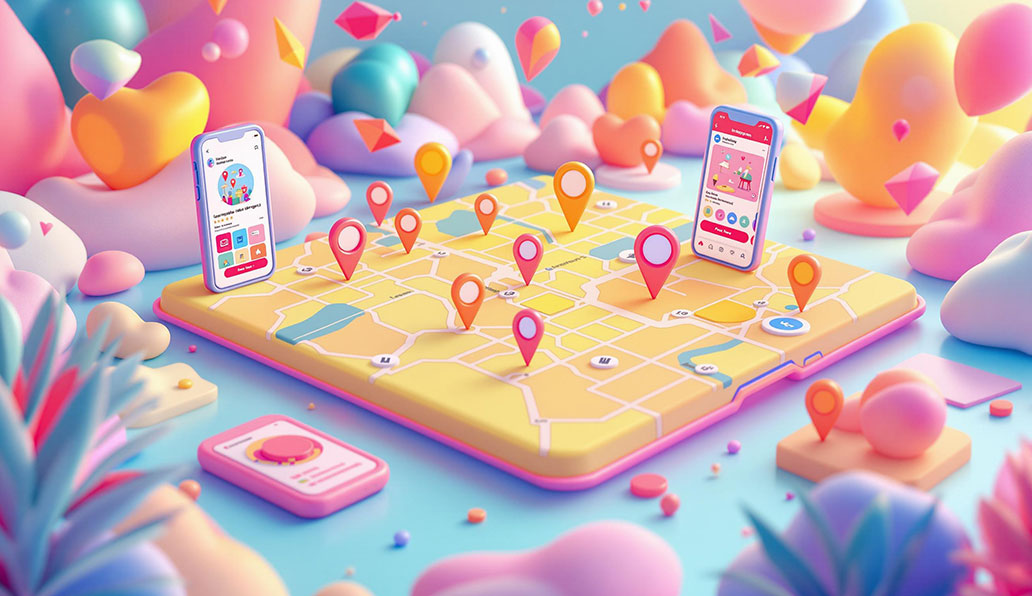
Introduction: Why Location Matters
Imagine this: you own a cozy local café. You post daily on Instagram—beautiful pictures of latte art, fresh pastries, and your sunny patio—but most of your followers live in other cities. Meanwhile, the people walking by your café every day aren’t seeing your content. Frustrating, isn’t it?
This is exactly where geo-targeted marketing makes a difference. By tagging posts with specific locations—your café, street, or neighborhood—you make your content discoverable to local audiences, increasing engagement and driving foot traffic. Geo-tagging connects your business to the people who are physically near your location, making your posts both relevant and actionable.
For example, a visitor checking Instagram for nearby coffee spots will find your posts if you’ve tagged your café correctly. Suddenly, your content is no longer just pretty pictures; it’s a tool to enhance brand visibility online.
1. Understanding Geo-Tagging
Geo-tagging is the process of adding location information to your digital content—like your city, neighborhood, or specific venue. On platforms such as Instagram, Facebook, TikTok, and Twitter, geo-tags make your posts discoverable in location-based searches and feeds.
Why Geo-Tagging Matters
- Boost Visibility: Local audiences see your content first, increasing chances of engagement.
- Increase Engagement: People are more likely to like, comment, or share content relevant to their area.
- Support Local SEO: Geo-tagged posts improve your ranking in local search results, making it a key part of any local SEO strategy.
Pro Tip: Always tag specific locations, not broad city names. For example, “Downtown Green Café” instead of just “New York.” Specificity improves discoverability and relevance.
2. Geo-Tagging on Social Media Platforms
Instagram allows you to tag both posts and Stories. Proper geo-tagging ensures your content reaches nearby users, while encouraging customers to tag your business builds social proof, attracting more visitors. Combining location tags with trending hashtags can dramatically improve your post reach.
Mini-Tip: Create a branded geo-tag like #GreenCafeDowntown and encourage your audience to use it. Feature tagged posts on your Stories to foster community engagement.
Facebook check-ins allow users to tag themselves at your business. Engaging with these posts by liking or commenting strengthens relationships and makes your brand appear approachable and locally relevant. Events and posts with geo-tags further enhance local visibility.
Other Platforms
TikTok, Twitter, and Snapchat also support geo-tags. On TikTok, combining trending sounds, hashtags, and geo-tags increases organic reach. Even small businesses benefit from consistent geo-tagging as it signals to algorithms and audiences that your content is locally relevant.
3. Building a Geo-Tagging Strategy
A clear geo-tagging strategy ensures your posts reach the right audience consistently.
Step 1: Identify Target Locations
Focus on areas where your ideal customers live, work, or visit frequently. Include popular landmarks, neighborhoods, and event spaces.
Step 2: Create Branded Location Tags
Branded tags like #GreenCafeDowntown help track engagement and encourage user-generated content.
Step 3: Encourage User-Generated Content
Ask customers to tag your location. Incentives like discounts or social media shoutouts can increase participation.
Step 4: Monitor & Engage
Engage with users who tag your business by liking, commenting, and sharing their posts. This builds loyalty and strengthens your brand reputation.
Step 5: Analyze & Optimize
Track which locations generate the most engagement, clicks, and visits. Adjust your strategy based on results to maximize ROI.
A step-by-step geo-tagging strategy for consistent local engagement.
Mini-Tip: Start with 2–3 key locations for smaller businesses and expand as engagement grows.
4. Use GeoImgr to Make Your Photos Work Better
GeoImgr is a straightforward yet effective tool to try if you want your company to appear more frequently when people search locally on Google. Before sharing your photos online, you can add precise location information, or geo-coordinates, to them. In this manner, your photos are not only visually appealing but also search engine optimized and directly connect to your actual business location.
Here's a step-by-step guide to using it:
Step 1: First, launch GeoImgr.
Open your browser and navigate to https://www.geoimgr.com.
Step 2: Provide Your Picture
Choose the image you wish to geo-tag by clicking "Choose File." This could be your shop, your merchandise, or any other image associated with your company.
Step 3: Include Your Address
Use the search box to enter your company's address, or Drag the map's pin to the precise location of your company.
Step 4: Incorporate Geolocation
To incorporate the location information into your picture, click "Write EXIF" or a similar button after the pin is in the proper position.
Step 5: Get Your Geotagged Picture
Save the picture to your PC. It is now prepared for online posting and includes geo-coordinates.
Step 6: Post on the Internet
Add the geo-tagged photo to your Google My Business listing, website, or social media accounts. Local discoverability has improved since search engines and social media platforms can now identify your location.
5. Case Studies: Real Results
Case Study 1: Local Café Boosts Foot Traffic
- Challenge: Despite frequent Instagram posts, local engagement was low.
- Action: Created a branded geo-tag, encouraged customer tagging, and promoted weekly specials using location-based hashtags.
- Result: Foot traffic increased 30% in two months, and Instagram engagement improved significantly, showing tangible results of geo-targeted marketing.
Geo-tagging tripled local engagement for the café.
Case Study 2: Boutique Store Increases Sales
- Challenge: A seasonal sale needed more local visibility.
- Action: Geo-tagged all promotional posts, tagged the shopping district, and ran geo-targeted ads.
- Result: Engagement rose 40%, with a notable increase in in-store sales.
Pro Tip: Repurpose these case studies in blog posts, newsletters, or social media to showcase measurable results and reinforce your digital marketing services expertise.
6. Advanced Geo-Tagging Techniques
- Geo-Targeted Ads: Use location filters to reach audiences most likely to convert.
- Geo-Fencing: Send push notifications to users entering a specific area.b
- Augmented Reality (AR): Interactive campaigns where users unlock filters, discounts, or content at your location.
Mini-Tip: Start with one advanced technique per month and measure results to refine your strategy. These techniques enhance content marketing for businesses and drive measurable engagement.
7. Overcoming Common Challenges
| Challenge | Solution |
|---|---|
| Privacy concerns | Inform users about data collection and usage |
| Inaccurate tags | Monitor and update geo-tags regularly |
| Platform limitations | Stay updated with new features and policies |
Pro Tip: Have a backup strategy. Branded hashtags or user-generated content can supplement geo-tags when platforms change their policies.
8. The Future of Geo-Tagging
- Smart Devices & Integration: Wearables and apps automatically recommend local content.
- AI Recommendations: Personalized content based on location history and engagement.
- Enhanced AR Experiences: Interactive campaigns increase both engagement and loyalty.
Mini-Tip: Staying informed about emerging geo-marketing trends ensures your business remains competitive.
Conclusion: Start Using Geo-Tagging Today
Geo-tagging is now essential for businesses looking to engage local audiences and improve brand visibility online. By following these steps, learning from case study insights, and implementing advanced techniques, you can increase engagement, visits, and conversions.
At BetweenIT, we specialize in digital marketing services that combine geo-targeted marketing, content marketing for businesses, and local SEO strategies to help your business reach the right audience efficiently and effectively.
Author: BetweenIT
Between IT is a team of digital experts dedicated to innovating and delivering 360° digital solutions. For 10+ years, we've been helping brands connect with consumers by offering tailored strategies to expand online presence and business growth.